
GTA 6 FPS, Resolution, Patch Notes & Known Issues Log
Last checked November 21, 2026 at 19:31 GMT+8 (11:31 UTC). This live technical log tracks verified GTA 6 FPS and resolution measurements across PS5, PS5 Pro, and Xbox Series X|S, display and HDR calibration options, ray tracing features, pre-launch updates 01.002.000 and 01.002.001, and ongoing PS5 CE-108255-1 crash reports.
On this pageJump to section
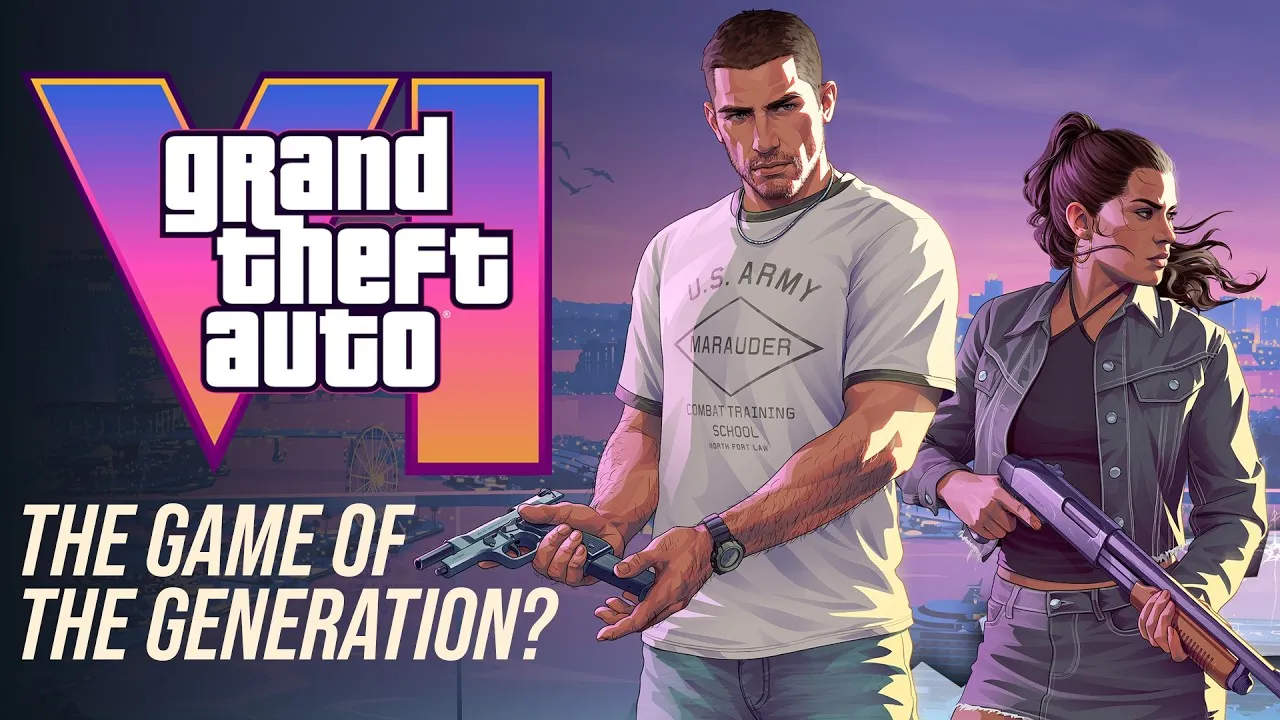
What is the real GTA 6 FPS and resolution on PS5 and Xbox Series X|S?
Even after launch and two pre-release updates (01.002.000 and 01.002.001), Grand Theft Auto VI runs at a locked 30 FPS target across PlayStation 5, PS5 Pro, Xbox Series X, and Xbox Series S. In a November 10, 2026 statement quoted by Digital Foundry, Rockstar said the game targets 30 frames per second to push current-generation hardware to its limits, and on November 18 Rockstar Technology Production Director Marc Chambers told Kotaku that even the PS5 Pro's CPU is not powerful enough to run GTA 6's simulation at 40 FPS or 60 FPS.
Digital Foundry's post-embargo measurements confirm that PS5 Pro, base PS5, and Xbox Series X all render at a fixed 2560x1440 (1440p) internal resolution without dynamic resolution scaling. PS5 Pro reconstructs a sharp 4K image using Sony's PSSR upscaler and holds a rock-solid 30 FPS across normal gameplay (dropping briefly to 24 FPS only during heavy explosive chaos), while base PS5 and Xbox Series X rely on spatial TAA upscaling and dip into the high-to-low 20s during sustained explosions.
Xbox Series S renders at 720p internally and uses AMD FSR 4 to temporally upscale to roughly 1080p, running at a looser 25-30 FPS (down near 20 FPS in heavy vehicular destruction). Xbox Cloud Gaming streams the Series S preset. GTA 6 Codes is an independent fan site not affiliated with Rockstar Games, Sony, or Microsoft.
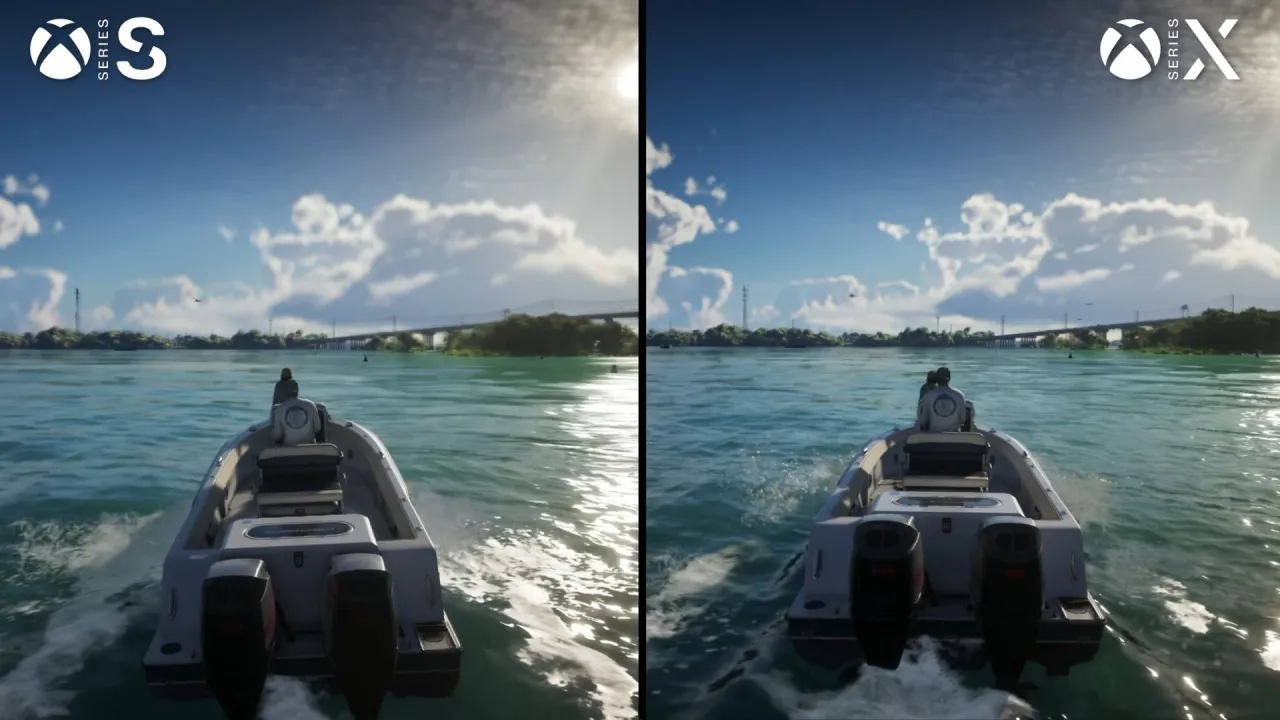
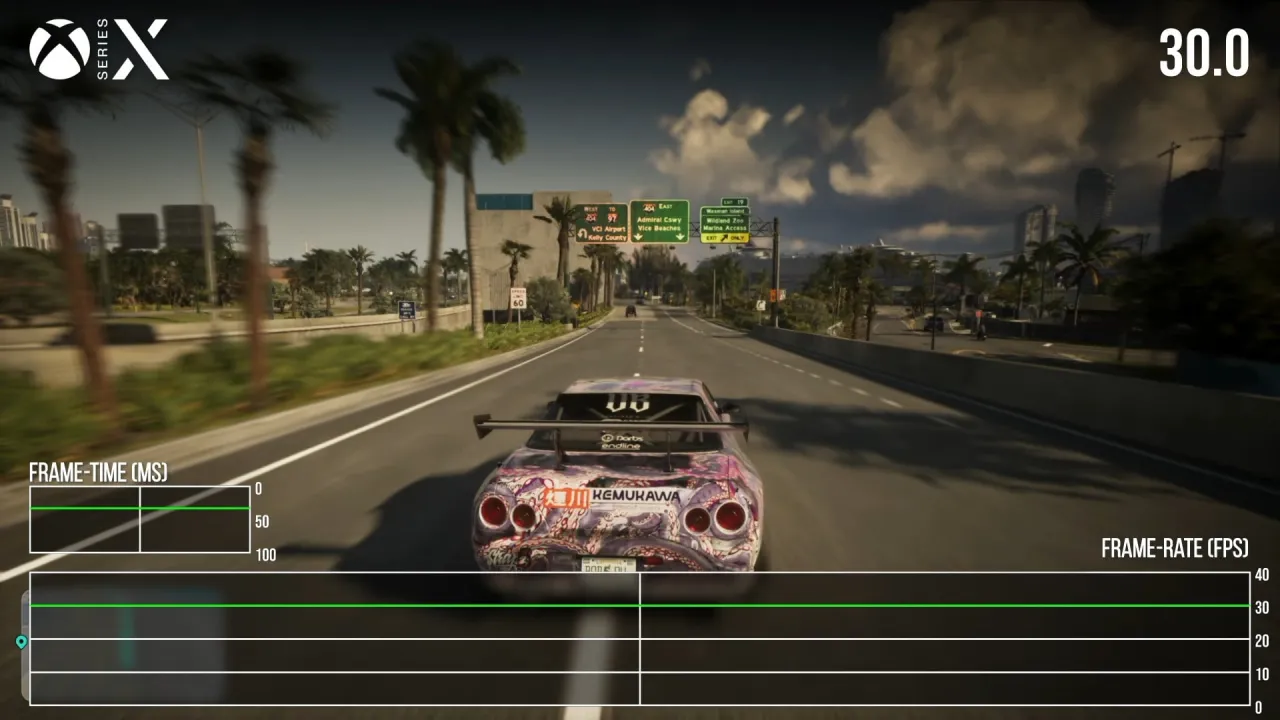
GTA 6 FPS, resolution, ray tracing & VRR by console
Measurements below come from Digital Foundry's launch analyses, PlayStation.com, Xbox Wire, and Rockstar's November 2026 statements (checked November 21, 2026).
| Hardware | Internal Res & Upscaler | Measured FPS, Ray Tracing & VRR |
|---|---|---|
| PS5 Pro | 2560x1440 (1440p) → PSSR 4K | Consistent 30 FPS (min 24 FPS in heavy blasts); RTGI, RT reflections & exclusive RT shadows; DualSense & Tempest 3D Audio. |
| PlayStation 5 (Base / Slim) | 2560x1440 (1440p) → spatial TAA 4K | 30 FPS typical, dips into high-to-low 20s in intense explosions; RTGI & RT reflections (no RT shadows); PS5 VRR (>48 FPS) inactive at 30 FPS. |
| Xbox Series X | 2560x1440 (1440p) → spatial TAA 4K | 30 FPS typical, dips into high-to-low 20s in heavy blasts; RTGI & RT reflections; OS-level 120Hz VRR container smooths 30 FPS motion (~180 ms camera latency). |
| Xbox Series S (and Cloud) | 720p → AMD FSR 4 (~1080p) | Looser 25-30 FPS pacing (dips near 20 FPS in heavy destruction); lower-precision RTGI & RT reflections; used by Xbox Cloud Gaming. |
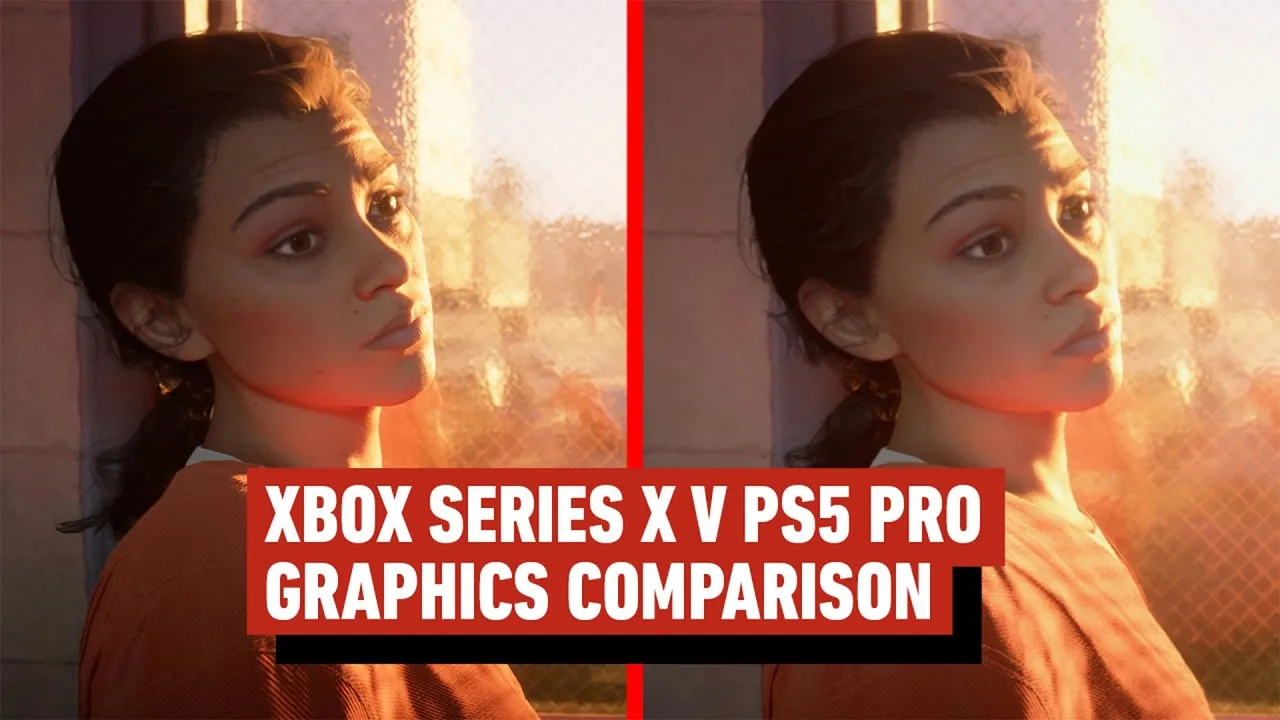
Is there a GTA 6 performance mode? Display, HDR & ray tracing settings
Confirmed across Digital Foundry, IGN's November 21 Display Settings guide, and PlayStation.com: GTA 6 has no Performance Mode, Quality Mode, or 40/60 FPS toggle in its menus.
-
No GTA 6 performance mode or 60fps toggle
Pausing and opening Settings > Display shows image and comfort controls rather than frame-rate presets. Rockstar's Marc Chambers confirmed to Kotaku that CPU simulation constraints prevent 40 FPS or 60 FPS modes even on PS5 Pro.
-
Ray tracing features & PS5 Pro exclusives
Digital Foundry confirms every console version runs hardware ray-traced global illumination (RTGI) and ray-traced reflections across smooth and rough surfaces. Only PS5 Pro adds PlayStation Spectral Super Resolution (PSSR) 4K upscaling and exclusive ray-traced shadows.
-
HDR calibration & 1,500+ nit highlights
Digital Foundry verified GTA 6's HDR output supports specular highlights beyond 1,500 nits. Under Settings > Display > HDR Calibration, GamerBlurb documents defaults of Max Brightness 600, Black Levels 50, and Paper White 50, advising players to calibrate console-level PS5/Xbox HDR first and tune Black Levels lower (around 15-35) only if OLED shadows look gray.
-
Motion Blur, Brightness & comfort sliders
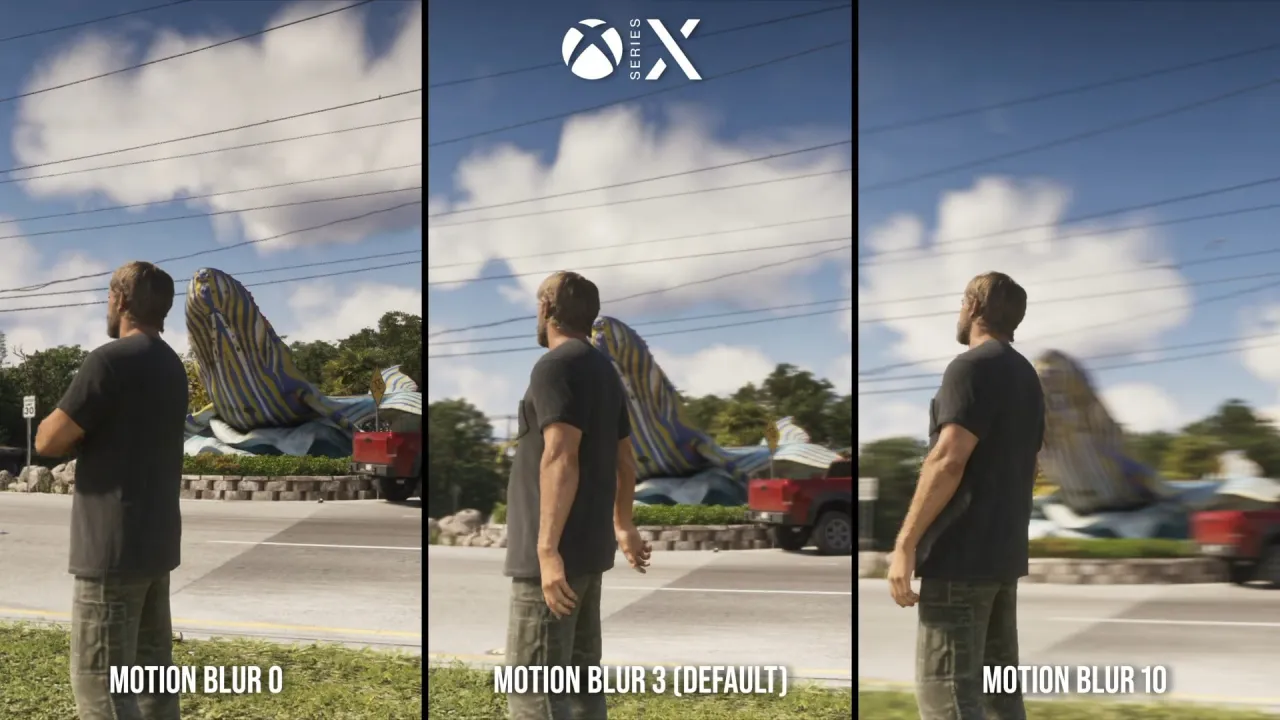
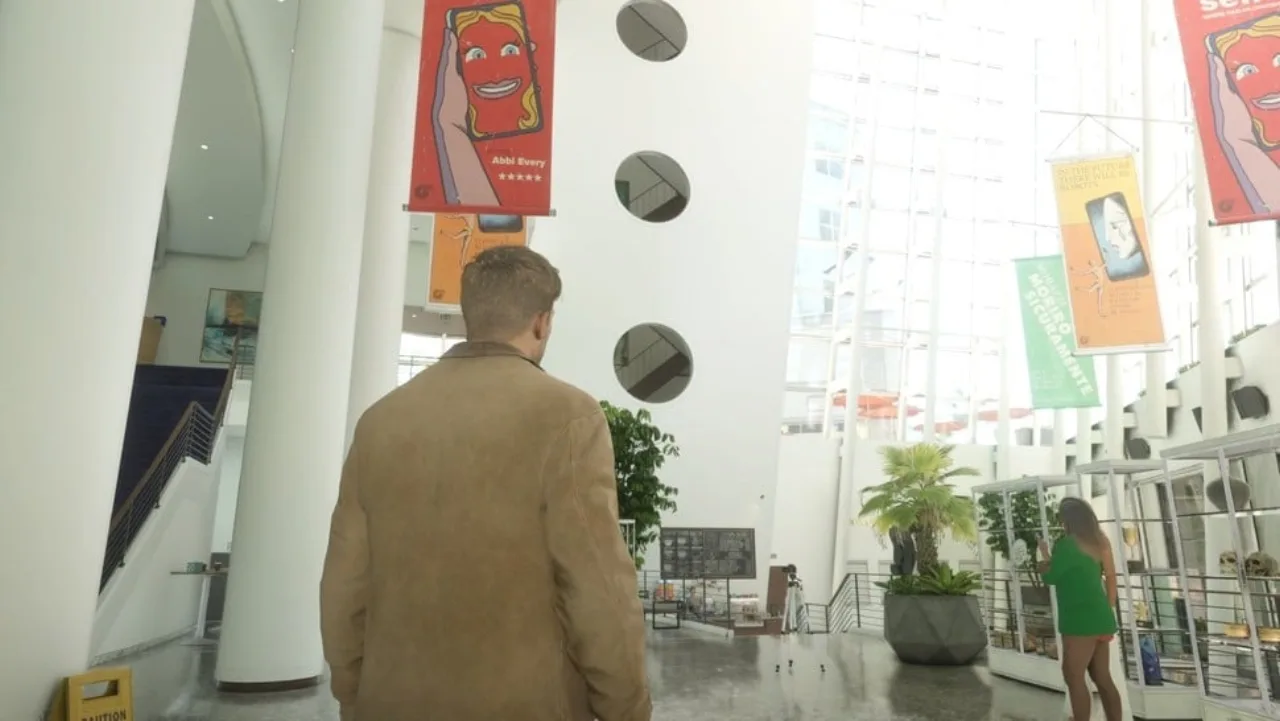
Digital Foundry notes Motion Blur defaults to 3/10 (IGN recommends lowering to 0 or 1 if camera panning feels smeary). Settings > Display also includes Brightness Calibration, Safe Zone borders, Status/Hit/Awareness Effects Intensity, Dismemberment, Blood & Gore intensity, Brightness Reduction, and Dark/Bright Flashbang screen toggles.
Known issues and fixes: PS5 CE-108255-1 crashes & GTA 6 patch notes
While many launch reviewers (including IGN and Cultured Vultures across 100+ base PS5 hours) reported zero crashes, player reports since November 19 highlight one major recurring launch issue on PlayStation 5 alongside unanswered questions around pre-launch updates.
PS5 crash error CE-108255-1 (survives reinstalls): Gizmodo (Nov 20), Wccftech (Nov 20), and Beebom (Nov 21) report that a subset of base PS5 and PS5 Slim players encounter repeated application crashes with error code CE-108255-1 during opening cutscenes, Lucia's prison sequence, early gameplay, or mission triggers. Multiple affected users say reinstalling GTA 6, clearing the PS5 cache, rebuilding the database, restoring licenses, or even factory-resetting the console failed to stop the crash. Gizmodo and Wccftech note hardware/thermal/liquid-metal cooling speculation on older launch PS5 units because less-demanding games still run, whereas Beebom emphasizes that newer PS5 Slim owners also report CE-108255-1 and there is no confirmed evidence linking these crashes to overheating yet.
Official Rockstar Support & PlayStation Support status (checked Nov 21, 2026): Direct checks of Rockstar Support and Rockstar Newswire show no dedicated GTA VI Known Issues page and no post-launch hotfix notes yet. PlayStation's official GTA VI support page explicitly refers gameplay, patch, and bug inquiries to Rockstar Support, while Sony's CE-108255-1 error page lists only two generic steps: try updating your game, or visit PlayStation Repairs.
Patch notes & update versions: Rockstar rolled out two pre-launch updates ahead of November 19 - Version 01.002.000 (Nov 13, 2026: ~1.07 GB on PS5, ~2.18 GB on Xbox Series X|S, per KeenGamer and Red Bull) and Version 01.002.001 (Nov 16, 2026: ~602.5 MB on PS5, ~1.59-1.6 GB on Xbox, per Red Bull and GamerBlurb). Neither update has official Rockstar patch notes, and no post-launch update (such as 1.003) has been published as of November 21, 2026.
- Check game & system updates: On PS5, highlight GTA VI, press Options > Check for Update (and check PS5 System Software Update); on Xbox, check My games & apps > Manage > Updates (PlayStation Support, GamerBlurb).
- Clear PS5 cache & rebuild database: Boot PS5 into Safe Mode and run Clear Cache and Rebuild Database, or try a clean reinstall on internal SSD / M.2 SSD (Beebom notes this resolves crashes for some users, though not reliably for everyone).
- Use required internal SSD storage: PlayStation Support and Xbox Support require GTA 6 to run from internal console SSD, PS5 M.2 SSD, or an Xbox Storage Expansion Card rather than USB external drives (212 GB max space rule).
- Improve 30 FPS smoothness & visibility: Enable TV Game Mode, disable TV motion smoothing, calibrate console HDR before in-game HDR sliders, lower Motion Blur to 0-1 (IGN, GamerBlurb), and keep Xbox 120Hz VRR enabled if supported (Digital Foundry).
PC: why there are no GTA 6 PC FPS benchmarks yet
GTA 6 is not out on PC and Rockstar Games has not announced a PC release date, minimum/recommended PC specs, or unlocked frame-rate support as of November 21, 2026. All verified GTA 6 FPS and resolution numbers right now apply strictly to PS5, PS5 Pro, Xbox Series X, Xbox Series S, and Xbox Cloud Gaming. For full PC release history and what Rockstar has confirmed so far, see our GTA 6 PC release date tracker.
GTA 6 performance & patch changelog
Dated tracking log of every verified update, hardware measurement, and support status change checked for this page:
- Nov 21, 2026 (19:31 GMT+8): Checked Rockstar Newswire, Rockstar Support, and PlayStation Support: no post-launch patch or official GTA VI Known Issues article published. Added PS5 CE-108255-1 crash coverage (Gizmodo, Wccftech, Beebom) and IGN Display/HDR settings recommendations.
- Nov 18-19, 2026: Added Digital Foundry launch resolution/FPS measurements (1440p/PSSR on PS5 Pro, 1440p/TAA on PS5 & Series X, 720p/FSR 4 on Series S, >1,500-nit HDR highlights) and Rockstar Technology Production Director Marc Chambers' Kotaku statement ruling out 40/60 FPS console modes.
- Nov 16, 2026: Pre-launch update 01.002.001 began phased rollout (~602.5 MB PS5, ~1.59-1.6 GB Xbox Series X|S); no official patch notes published by Rockstar.
- Nov 13, 2026: First pre-launch update 01.002.000 rolled out (~1.07 GB PS5 mandatory, ~2.18 GB Xbox Series X|S); no official patch notes published by Rockstar.
Quick answers
Does GTA 6 run at 60 FPS on PS5 Pro or Xbox Series X?
No. Checked November 21, 2026, GTA 6 targets 30 FPS on PS5, PS5 Pro, Xbox Series X, and Xbox Series S with no 40 FPS or 60 FPS toggle. Rockstar Technology Production Director Marc Chambers told Kotaku that even the PS5 Pro CPU cannot run the simulation at higher frame rates.
What resolution does GTA 6 run at on each console?
Digital Foundry measured native 2560x1440 (1440p) on PS5 Pro (upscaled to 4K via PSSR), base PS5 (spatial TAA upscale to 4K), and Xbox Series X (spatial TAA upscale to 4K). Xbox Series S runs at 720p internally, upscaled to ~1080p via AMD FSR 4.
What are the latest GTA 6 patch notes?
Checked November 21, 2026, Rockstar has not published official patch notes for any GTA 6 update. Two pre-launch patches rolled out ahead of release - 01.002.000 (Nov 13) and 01.002.001 (Nov 16) - and no post-launch update has arrived yet.
Why is GTA 6 crashing with error CE-108255-1 on PS5?
Gizmodo, Wccftech, and Beebom report PS5 and PS5 Slim players seeing repeated CE-108255-1 crashes that often survive reinstalls, cache clears, and database rebuilds. Neither Sony nor Rockstar has confirmed the root cause yet; hardware outlets speculate thermal/liquid-metal strain on older PS5s, while Beebom notes new Slim consoles are also affected.
What HDR and motion blur settings should I change in GTA 6?
Calibrate HDR at the PS5 or Xbox system level first, then adjust Settings > Display > HDR Calibration (defaults: 600 Max Brightness, 50 Black Levels, 50 Paper White). IGN recommends lowering Motion Blur from its 3/10 default to 0 or 1 for clearer camera pans.
GTA 6 PS5 vs Xbox Series X|S
Side-by-side console comparison covering PS5, PS5 Pro, Xbox Series X, Series S, frame rate, download rules, unlock timing, and cloud play.
GTA 6 Review Scores & Metacritic
Metacritic and OpenCritic snapshots, a table of 18 major outlet verdicts, what critics praised and criticised, and the user score, with the check time.
GTA 6 Download Size & Storage
Official 212 GB install and pre-load requirement from Rockstar Support and PlayStation Blog, plus auto pre-load and storage cleanup steps.
GTA 6 PC Release Date Status
Official Rockstar and Take-Two status on a PC edition, Steam and Epic store checks, unconfirmed Q1 2027 reports, and fake PC download warnings.
Sources
- Digital Foundry GTA 6 Tech Review & HDR Analysis 1440p PSSR/TAA, RTGI/RT reflections/Pro RT shadows, >1500 nit HDR
- Digital Foundry PS5 vs PS5 Pro vs Xbox Series X|S Analysis FPS measurements, Series S 720p FSR 4, VRR & Motion Blur 3/10
- Kotaku Marc Chambers PS5 Pro 60 FPS Interview Nov 18, 2026: CPU cannot run simulation above 30 FPS
- IGN GTA 6 Display Settings Explained Nov 21, 2026: Display menu, Motion Blur, flashbang & brightness options
- GamerBlurb GTA 6 Best HDR Settings Default HDR values (600/50/50) and OLED calibration
- Red Bull GTA 6 Updates & Patch Tracker 01.002.000 (Nov 13) & 01.002.001 (Nov 16) sizes, no official notes
- GamerBlurb Version 1.002.001 Update Explained 602.5 MB PS5 / ~1.59 GB Xbox, staggered Nov 16-17 rollout
- KeenGamer Update 1.002.000 Rollout Report 1.07 GB PS5 / 2.18 GB Xbox, no patch notes
- Gizmodo GTA VI PS5 Error CE-108255-1 Report Nov 20, 2026: crashes surviving resets, liquid metal theory
- Wccftech PS5 CE-108255-1 & Reinstall Report Nov 20, 2026: crashes survive reinstalls/database rebuilds
- Beebom PS5 & Slim CE-108255-1 Coverage Nov 21, 2026: affects PS5 & Slim, no confirmed overheating proof
- PlayStation Support Official Grand Theft Auto VI Support Checked Nov 21, 2026: refers patches/bugs to Rockstar Support
- PlayStation Support Official PS5 Error Code CE-108255-1 Checked Nov 21, 2026: update game or visit PlayStation Repairs
- Rockstar Support GTA VI Installation Requirements Checked Nov 21, 2026: 212 GB rule; no known-issues page posted
Last checked November 21, 2026 at 19:31 GMT+8 (11:31 UTC) by gta-6-codes.com using Digital Foundry, Rockstar Support, PlayStation Support, Kotaku, IGN, Red Bull, KeenGamer, GamerBlurb, Gizmodo, Wccftech, and Beebom.